Shadowing Practice: Pronunciation Feedback with Real Content
The Short Version
Shadowing practice means speaking along with the original audio while it is playing. It is more than recording yourself once: you connect the sound, transcript, pronunciation, and rhythm in one loop, moving from understanding a sentence to being able to imitate it.
Aelano lets you shadow videos, podcasts, and audio you actually want to learn from. Import the content, generate the transcript, and practice sentence by sentence with word-level AI feedback.
How to Practice Shadowing
Step 1: Start with content you want to hear again
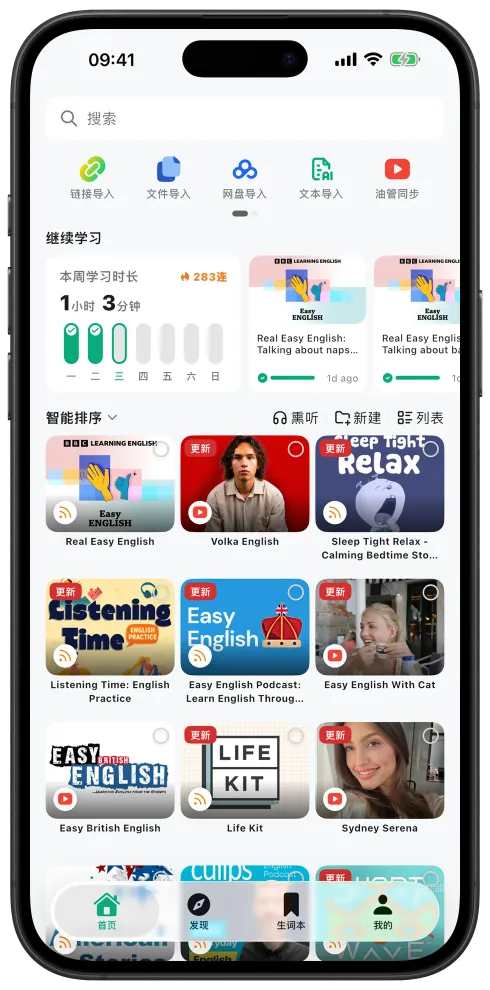
Continue from the home screen or open Discover to find a video or podcast by language and level. Real content gives each expression a situation you can remember.

Step 2: Understand the sentence first
Open the player in Transcript mode. Use bilingual subtitles, playback speed, and sentence playback to understand the line before you try to produce it. Tap a word or open sentence explanation when something is still unclear.

Step 3: Enter the shadowing step in Practice
Switch the player to Practice and work through vocabulary preview, blind listening, focused listening, and shadowing. You can also start from shadowing when you already know the sentence and want to focus on speaking.
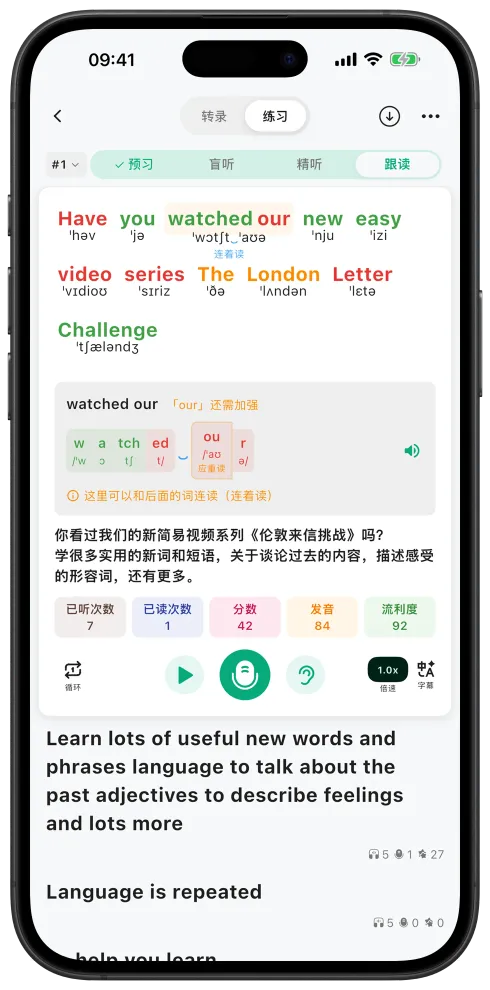
Listen to the original once, then press the microphone and read along. Do not chase a perfect score on the first attempt. First get your mouth moving with the sound, then use the feedback to adjust.
Step 4: Listen again and repeat the difficult parts
After each attempt, look at:
- Correct / mispronounced / missed / extra: find the exact word or sound that did not follow the original.
- Pronunciation: check whether the word itself landed clearly.
- Fluency: notice rhythm, connected speech, and pauses.
- Times listened / times read: decide whether another listen or another attempt will help.
A useful loop is: listen → shadow → inspect the errors → replay the difficult words → shadow again. Move on once the sentence feels reasonably natural; every attempt does not need to become an exam.
Keep the Words You Need to Review
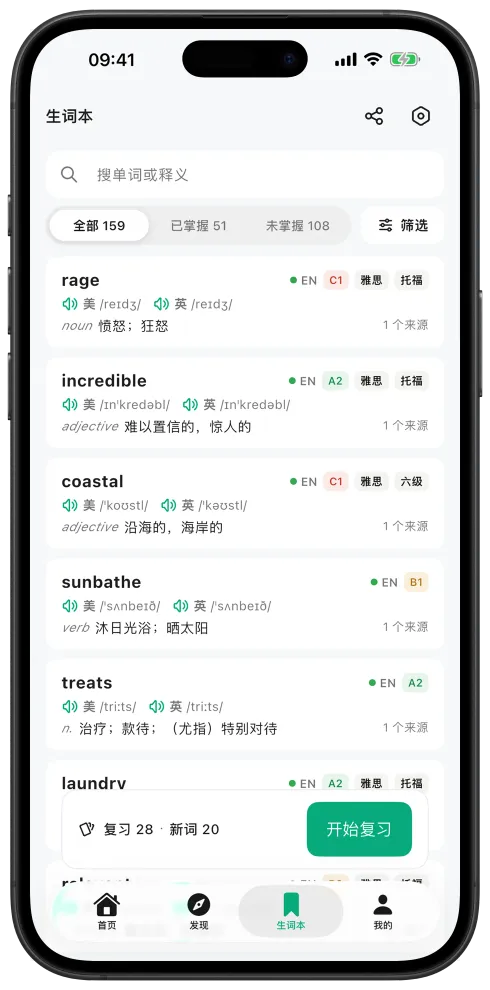
When a word keeps getting in the way, save it to My Words & Sentences and come back through Review later. Shadowing then becomes more than a speaking exercise for the moment: it leaves behind language you can revisit.
How Shadowing Fits into Practice (LS100)
Shadowing is step 4 of Practice (LS100):
- Vocabulary preview
- Blind listening
- Focused listening
- Shadowing
The first three steps help you understand the material. The last step turns that understanding into active output. You can follow the complete routine or start with shadowing and return to focused listening when a sentence is still difficult.
Common Questions
What is shadowing practice?
Shadowing means speaking along with the original audio, sentence by sentence, while trying to match its sounds and rhythm. Aelano keeps the sentence, audio, recording, and AI feedback in one practice loop.
How does Aelano score shadowing?
After an attempt, each word can be marked correct, mispronounced, missed, or extra, with pronunciation, fluency, and per-word feedback.
Does shadowing require a membership?
A membership is not required, but shadowing scores use points because they require AI pronunciation evaluation. Free users can use their available points.
What content can I use for shadowing?
Imported videos, podcasts, audio, and local files all work after transcription is complete. Open the player and switch to Practice.
Does shadowing need microphone permission?
Yes. iOS and Android ask for microphone access the first time you enter shadowing. If permission was declined, turn it back on in system settings.
Related Features
- Want the complete four-step routine? See Practice (LS100)
- Want to understand the transcript and sentence first? See Listen, Watch, and Actually Understand
- Want to keep words from shadowing? See My Words & Sentences and Review System
- Want to keep listening during commutes or exercise? See Passive Listening